
webAnalytics is an end to end web analytics product with a dashboard built on Rails. Events are tracked, captured and saved to database using client side javaScript snippet and server side API.
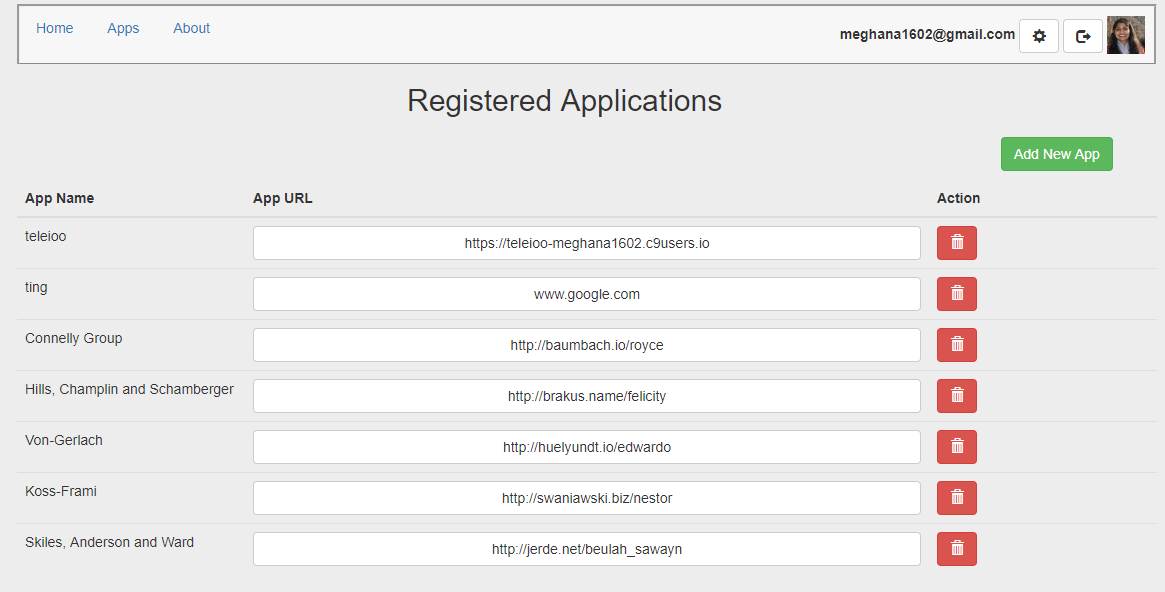
User's Registered Apps
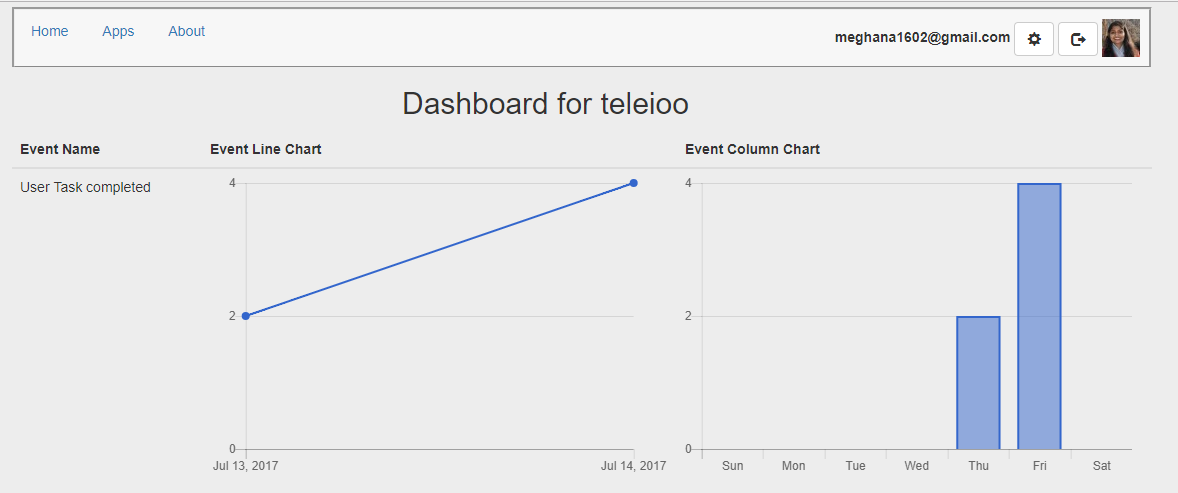
Dashboard of saved Event from registered app
Requirements
- App to have User Accounts.
- Once logged in, the User’s show page should list all the registered applications of the User.
- The table listing Registered Applications should have the below details -
- Name of the Registered Application.
- URL of the application.
- A create button to add new applications.
- Delete button for each application.
- The show page of Registered application should display graphs of different events.
Implementation
Authentication was added to the rails app using Devise gem. Hence the User model is generated using rails g devise user
Rails generates a migration file, model, spec file, and routes for :users.
The Devise helper methods like authenticate_user is used for making sure that the user is authorized before showing their task page.
before_action :authenticate_user!
RegisteredApplication Model
The RegisteredApplication Model is created and associated with the User. The model has name and URL attribute. Validation is used to make sure that the application has a name and url attribute. The applications are ordered based upon the creation date, with latest being listed first.
class RegisteredApplication < ApplicationRecord
  belongs_to :user
  has_many   :events

  default_scope { order('created_at DESC') }

  validates :name, presence: true
  validates :url, presence: true
end
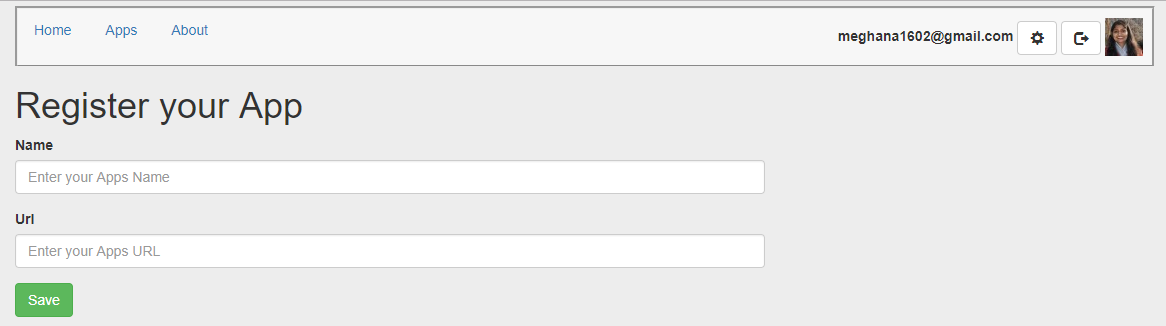
Register new App
RegisteredApplications Controller
The corresponding controller is generated with the following actions: index, show, new, create and destroy
Index Action and View help display the list of all the registered applications associated with the User.
Create Action and View create a new registration of an application associated with the user.
def create
    @user                        = current_user
    @registered_application      = @user.registered_applications.build(post_params)
    @registered_application.user = current_user

    if @registered_application.save
      flash[:notice]    = "Application is registered successfully."
      redirect_to :root
    else
      flash.now[:alert] = "There was an error registering the app. Please try again."
      render :new
    end
  end
The registered application is built with permitted attributes using the below mass assignment and parameters so as to make sure that the user doesn’t update any other sensitive attributes of item other than name and url.
  def post_params
    params.require(:registered_application).permit(:name, :url)
  end
Delete App
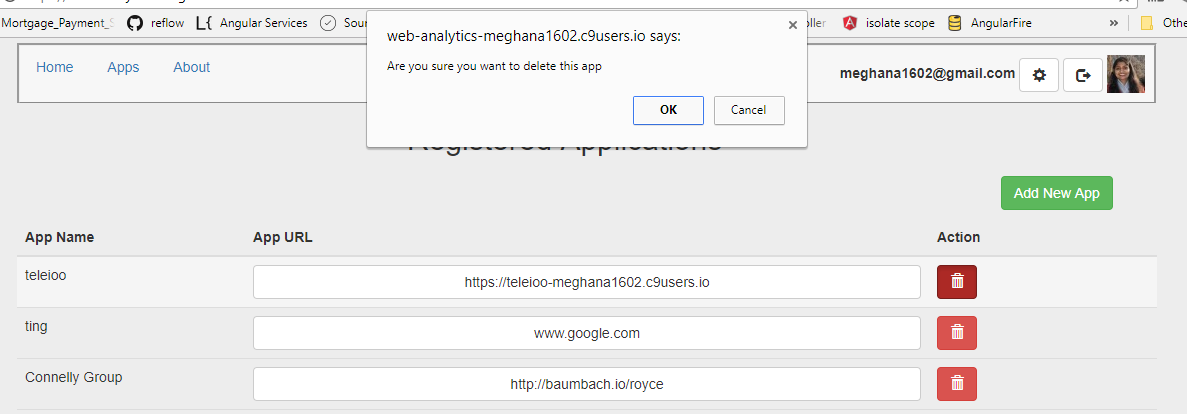
Destroy Action helps in de-registering and destroying an already existing application registration.
  def destroy
    @registered_application = RegisteredApplication.find(params[:id])

     if @registered_application.destroy
       flash[:notice]    = "\"#{@registered_application.name}\" was deleted successfully."
       redirect_to root_path
     else
       flash.now[:alert] = "There was an error deleting the app."
       render :index
     end
  end
Event Model
Event model is generated to save the event received from a registered application. Hence its associated with RegisteredApplication model with _belongs_to_ association. Validation is used to make sure the event has name attribute before it gets saved in the database.
API Events Controller
Inorder for webAnalytics to recieve events from registered applications, it will need an API controller and routes. In the below code in routes.rb, namespace keeps the API routes separated from the rest of the app routes. defaults: { format: :json} tells route to expect to receive requests in JSON form.
namespace :api, defaults: { format: :json } do
  resources :events, only: [:create]
The EventsController is created to match the API route. CSRF protection is disabled for this project, so no CSRF token is given to the client before submitting the event. In the create action, the registered application is found by matching the source of the API request. I use the request.env[‘HTTP_ORIGIN’] value to find the correct application.
class API::EventsController < ApplicationController
   skip_before_action :verify_authenticity_token

   def create
     registered_application = RegisteredApplication.find_by(url: request.env['HTTP_ORIGIN'])

     if (registered_application == nil)
         render json: "Unregistered application", status: :unprocessable_entity
     end

     @event = registered_application.events.new(event_params)

     if @event.valid?
       @event.save!
       render json: @event, status: :created
     else
       render json: {errors: @event.errors}, status: :unprocessable_entity
     end

   end
CORS
Cross Origin Request Sharing Our client site javaScript code will send an Ajax request to our API so as to save events in our app. But browsers don’t allow cross-origin request to occur so as to prevent cross-site scripting. Hence I have followed the CORS standard to allow the Ajax request to go through. The browser makes a preliminary request to the server asking if the cross domain request permitted. This uses the HTTP OPTION verb - an OPTION request precedes the GET or POST request and checks if the route accepts cross-origin request. The browser expects the OPTIONS request to return a 200.
routes.rb
match ‘/events’, to: ‘events#preflight’, via: [:options]
The preflight action renders 200 status code.
def preflight
  head 200
end
We set CORS response headers so our controller actions will allow POST requests across domains:
def set_access_control_headers
  headers['Access-Control-Allow-Origin'] = '*'
  headers['Access-Control-Allow-Methods'] = 'POST, GET, OPTIONS'
  headers['Access-Control-Allow-Headers'] = 'Content-Type'
end
Client Side JavaScript Snippet
The below JavaScript code makes an Ajax request to our server-side API to create an event on our server.
var webAnalytics = {};

webAnalytics.report = function(eventName) {

  var event   = {event: { name: eventName }};
  var request = new XMLHttpRequest();

  request.open("POST", "https://web-analytics-meghana1602.c9users.io/api/events", true);
  request.setRequestHeader('Content-Type', 'application/json');
  request.send(JSON.stringify(event));
};
Event Graph: JavaScript library chartkick gem is used to display the events graphically.
Conclusion
I wanted to build an app with an API interface which I could eventually connect to my front-end apps. It was rewarding to see how I could share data between different apps by making API requests.