
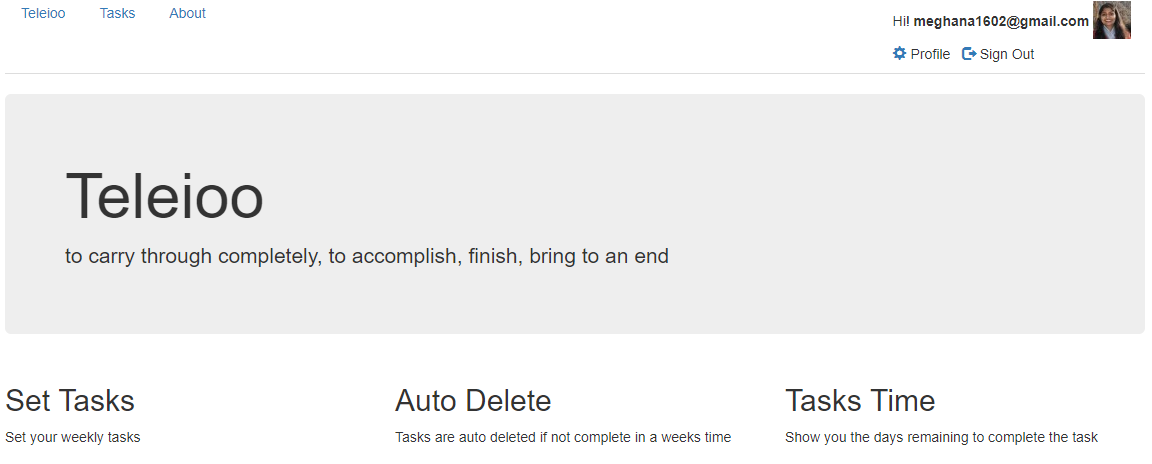
Teleioo which in Greek means to carry through completely, to accomplish, finish, bring to an end is a productivity app with the goal of motivating users to complete their tasks in a given period of time. The app has motivational quotes and alert system when a task is approaching its deadline. The ultimate vision is to have smart motivational quotes contextual to tasks at hand and user’s past behavior generated through artificial intelligence. The app is built using Ruby on Rails.
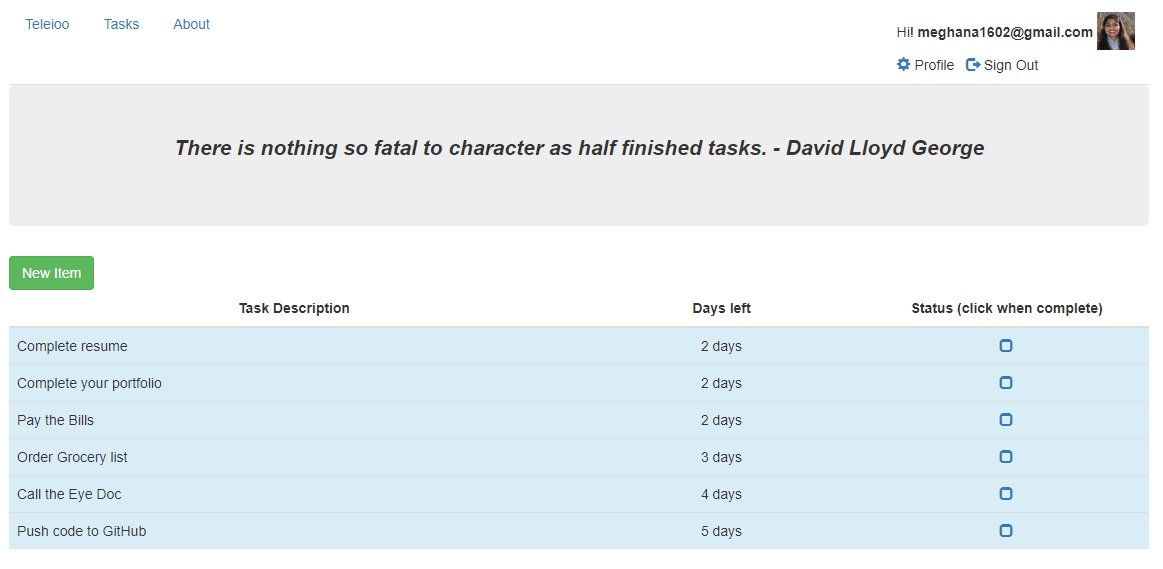
User's list of tasks
Requirements
- App to have User Accounts.
- Once logged in, the User’s show page should list all the user tasks.
- The list of tasks should show -
- Description of the task.
- Days remaining for the completion of tasks.
- A create button to add new tasks.
- A Delete button to delete tasks.
- If a task is not completed in 7 days, then the task is auto deleted.
- Task description turns in red if the end date for the task completion is less than 1 day.
Implementation
Authentication was added to the rails app using Devise gem. Hence the User model is generated using rails g devise user
Rails generates a migration file, model, spec file, and routes for :users.
The Devise helper methods like authenticate_user is used for making sure that the user is authorized before showing their task page.
before_action :authenticate_user!
Routes
Since the items/tasks are User dependent, the routes for tasks are nested under User routes. We only generate routes for the actions - create and delete. The show action which lists all the tasks is routed as a root so that when a user logs-in, he gets routed to his show page listing all his tasks.
   resources :users, only: [] do
     resources :items, only: [:create, :new, :destroy]
   end
   root 'users#show'
UsersController
The UsersController has only one action - show which lists all the items/tasks of the current User. The Devise helper method - current_user is used for the current signed in user.
   def show
      @user  = current_user
      @items = @user.items
   end
User Model
Since each user can have many tasks, the User Model is associated with item/task model through the has_many association.
has_many :items
Item Model
Since the tasks/items belong to specific User, the Item Model is associated with User model through _belongs_to association.
belongs_to :user
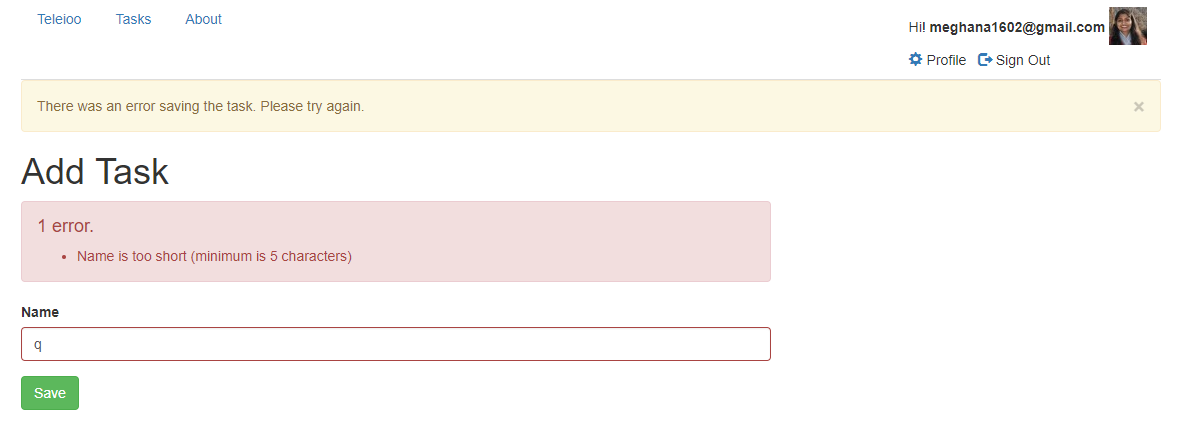
validation is used to make sure that the task/item has a name attribute and has atleast 5 characters before it gets saved in the database.
validates :name, length: { minimum: 5 }, presence: true
Validation of task attributes
ItemsController
Items Controller is going to have the below actions: new, create and delete
Create Action:
   def create
    @user      = current_user
    @item      = @user.items.build(post_params)
    @item.user = current_user

    if @item.save
      flash[:notice] = "Task was saved"
      redirect_to :root
    else
      flash.now[:alert] = "There was an error saving the task. Please try again."
      render :new
    end
   end
The item is built with permitted attributes using the below mass assignment and parameters so as to make sure that the user doesn’t update any other sensitive attributes of item other than name
   def post_params
     #params.require(:item).permit(:name, :created_at) #Only when U want to test self destructing feature.
     params.require(:item).permit(:name)
   end
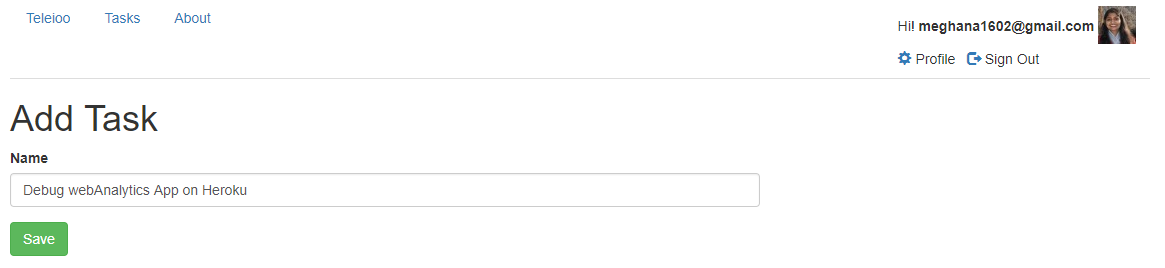
Create new task
Destroy Action: Once a User completes a task, its deleted by making a Ajax request. The destroy action responds to the Ajax request because of the format.js in the respond_to block in the controller action. The specific item is deleted in the database and the corresponding views/destroy.js.erb view file that generates the actual javaScript code is sent and executed on the client side.
   def destroy
    @item      = Item.find(params[:id])

    if @item.destroy
      flash[:notice] = "Task was deleted."
    else
      flash.now[:alert] = "There was an error deleting the task. Please try again."
    end

    respond_to do |format|
      format.html
      format.js
    end
  end
Views
The following associated template & partial views for the items controller actions are rendered: new, _item, _form
Partial _form.html.erb template:
The _form partial is used for submitting the task/item. Helper method form_group_tag is used to build the HTML and CSS to display the form element and any associated errors.
<%= form_for [user, item] do |f| %>
    <% if item.errors.any? %>
      <div class="alert alert-danger">
         <h4><%= pluralize(item.errors.count, "error") %>.</h4>
           <ul>
           <% item.errors.full_messages.each do |msg| %>
             <li><%= msg %></li>
           <% end %>
           </ul>
      </div>
    <% end %>
    <%= form_group_tag(item.errors[:name]) do %>
      <%= f.label :name %>
      <%= f.text_field :name, class: 'form-control', placeholder: "Enter Task Details" %>
    <% end %>
    <div class="form-group">
      <%= f.submit "Save", class: 'btn btn-success' %>
    </div>
<% end %>
Partial _item.html.erb:
The _item partial is used for displaying the list of tasks/items, days pending for completion of task and a link for completion of the task. This partial is rendered from the User’s show view. Helper method time_remaining_for_item_comp is used for calculating the days remaining for the completion of the task. The form’s remote option is set to true so that the request to the Controller is posted as Ajax request.
<%= content_tag :tr, class: "info", id: "item-#{item.id}" do %>
  <td class="col-md-6"><%= item.name %></td>
  <td class="col-md-3"><%= time_remaining_for_item_comp(item.created_at) %></td>
  <td class="col-md-3"><%= link_to "", [current_user, item], method: :delete, class: 'glyphicon glyphicon-ok', remote: true %></td>
<% end %>
User’s show view:
The User’s show view uses bootstrap’s responsive table layout for displaying items.
Application.html.erb:
This is a container file that has HTML and Ruby code needed to run every view in the app. Bootstrap styles are used for the layout of our html. The “viewport meta” tag added inside the head tag with a content attribute value of width=device-width, initial-scale=1 instructs browsers on small, high-pixel density screens (such as retina iPhones) to display our pages at a regular, readable size.
Common code:
The nav bar on top along with the user details is present here. All the flash messages for notices and alerts is put here. The appropirate controller view is invoked using “yield”
Auto Deletion of Tasks
The below job is scheduled in Heroku so that the tasks are deleted once 7 days have passed since its creation.
rake todo:delete_items
namespace :todo do
  desc "Delete items older than seven days"
  task delete_items: :environment do
    Item.where("created_at <= ?", Time.now - 7.days).destroy_all
  end
end
Conclusion
It was rewarding to build a practical Ruby On Rails app which I could use in my daily life. Besides learning to develope rails app with ruby, I also wanted to make use of Ajax requests instead of reloading page so it helped me gain insight on how to do that.